
A screenshot workflow for Apple Silicon Macs
Capture without breaking
your flow
Annotate now, or set it aside in the Rail. When it is time to organize, every capture is still where you left it.
See the workflowTwo ways of working
both matter
Some screens need an explanation now. Others only need a place to wait until you are ready to turn them into a complete walkthrough.
Keep the work
moving
You do not need to sort a screen immediately—or leave what you are doing just to check the last capture.
While you work
The screen stays close
and your hands keep moving
Hover over the Rail to check what you just kept, without opening another management tool.
Explain it now
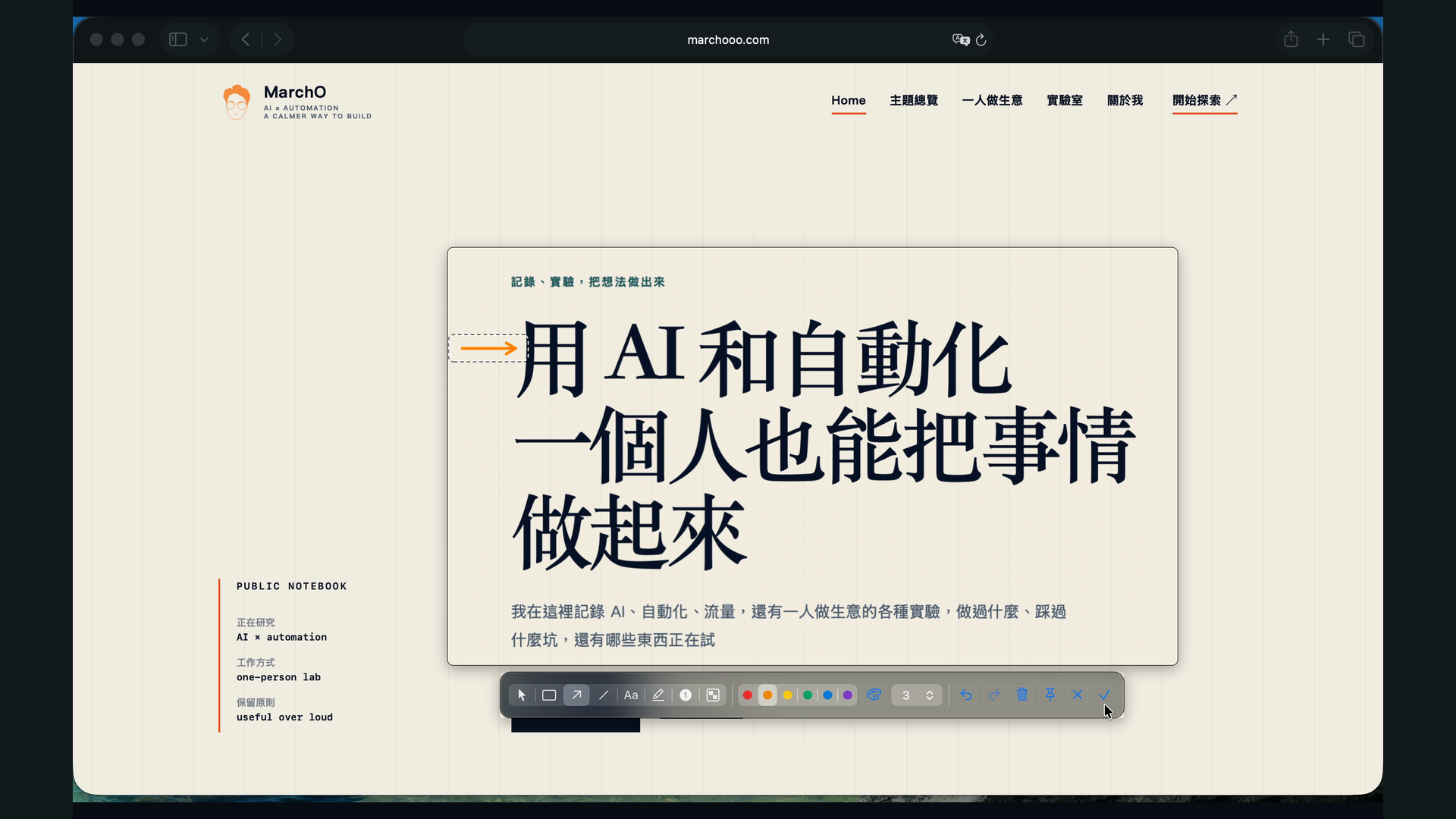
A little annotation
keeps the point clear
Rectangles, arrows, text, highlight, and number badges are close at hand. When you are finished, the screen goes straight into the Rail.
When you need to compare
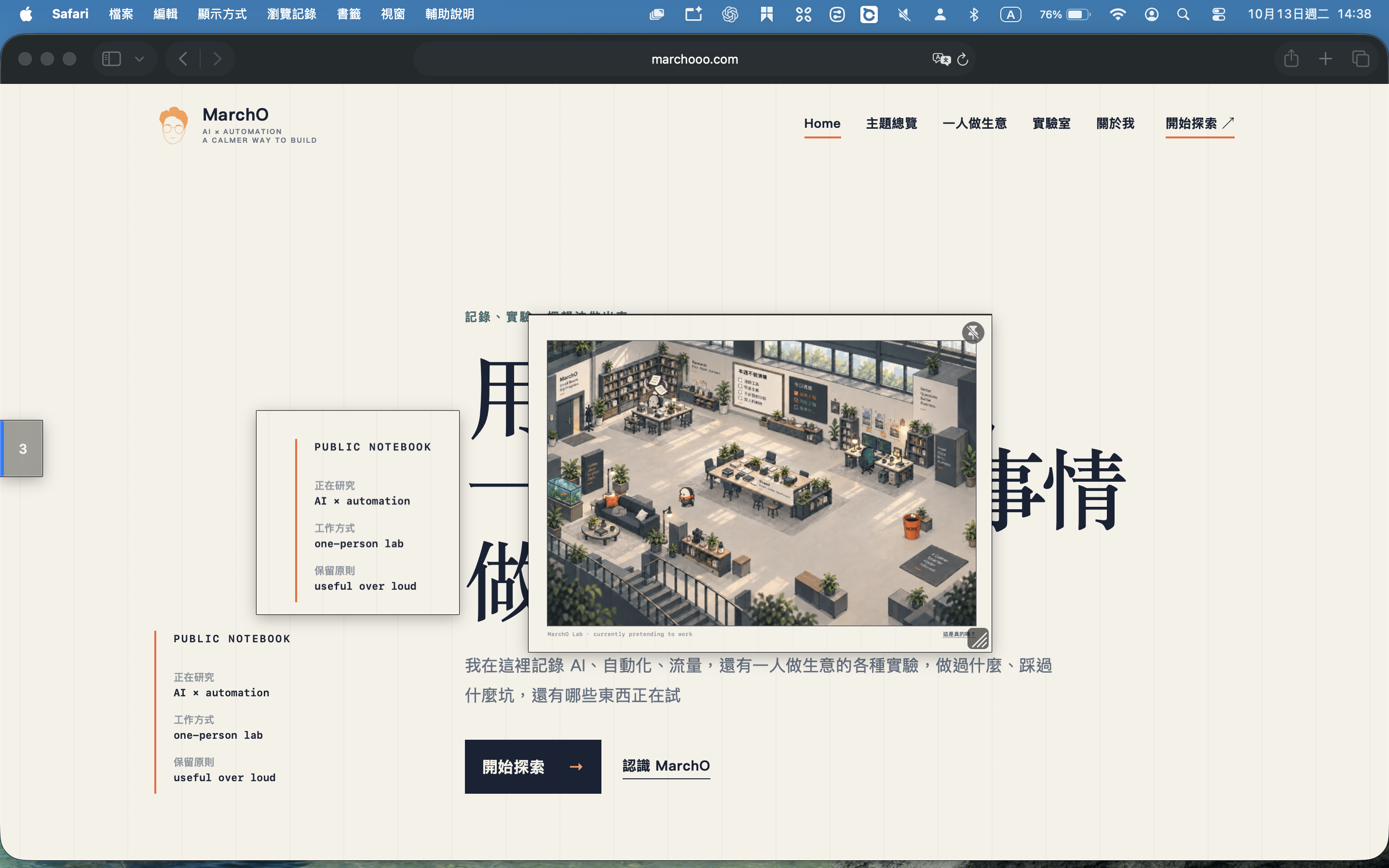
Keep a reference
beside your work
No more switching back and forth between windows. Pin what matters, keep looking, and carry on.
When there is time, turn
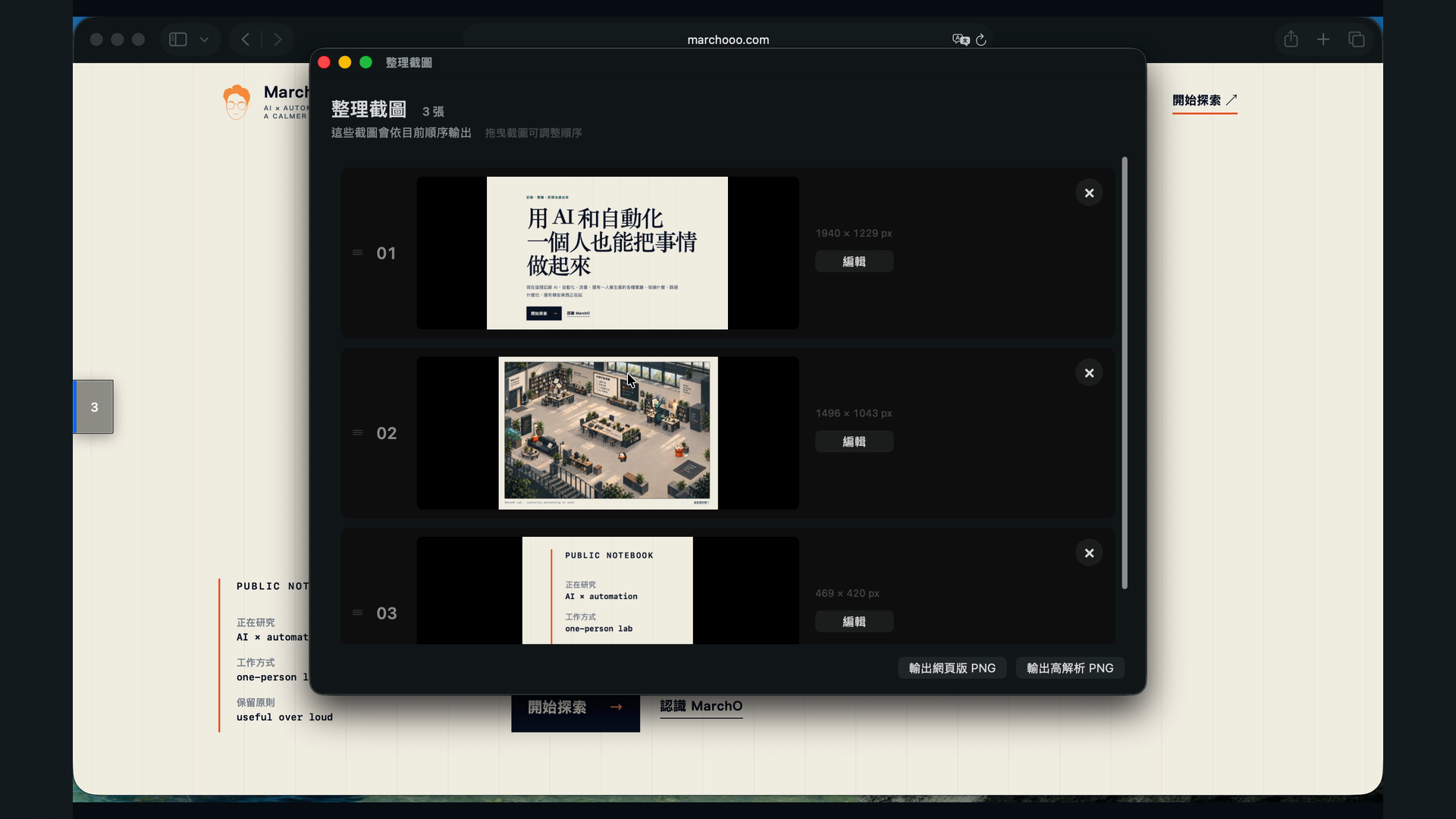
the screens into a clear walkthrough
Edit again, reorder, and export together. When you need to explain something, every screen is still there.
Try everything for 7 days
then decide
Regular price returns November 30, 2026One-time purchase, not a subscriptionFinal pricing may vary by App Store regionDownload on the Mac App Store
Before you begin
you may want to know
Can I try it for free?
Yes. Caplane includes a full 7-day trial, so you can decide after you have used it.
Will my screenshots disappear after the trial?
No. You can still view, edit, and export captures you already made; you just cannot add new ones.
Do I need to pay every month?
No. Caplane V1 is a one-time purchase, not a subscription.
Are screenshots uploaded to the cloud?
No. Screenshots and annotations stay on your Mac. You do not need a Caplane account.
Contact
Need help?
For purchase, license, or product help, email me directly.
Help make Caplane better
If something feels off, or there is a feature you would like, I would love to hear it.